

Managing multiple accounts on different platforms can be a real headache. Every social media manager dreams of having one place to schedule posts, track analytics, and respond to followers without juggling a dozen tabs at once.
That’s exactly the problem mLabs social media management solves. More than just a scheduling tool, it combines publishing, analytics, engagement, and collaboration features to make your day-to-day workflow faster and smarter.
And the best part? Even with so many features packed in, the platform was designed to feel intuitive and easy to use. So you spend less time figuring things out and more time focusing on results.
Here, you’ll see how to unlock the full potential of mLabs: from its scheduling and analytics features to the extra tools that help agencies, freelancers, and brands stay organized and ahead of the game.
What is mLabs and how does it work?
mLabs is a social media management platform built to make life easier for anyone working with digital marketing.
Think of it as a central hub where you can manage all your Instagram, Facebook, X (Twitter), WhatsApp, and other accounts in one organized place.
That means no more jumping from one social network to another. You get everything done in a single platform.
So, who can use mLabs? Pretty much anyone who needs to manage social media professionally.
If you’re a social media manager juggling multiple accounts, mLabs can feel like a lifesaver. Small business owners who want to boost their online presence without losing too much time will also find it incredibly useful.
And for large brands or marketing agencies managing multiple clients and campaigns, mLabs connects teams and keeps everything organized under one roof.
Which social networks can you manage with mLabs?
When we say you can manage everything in one place with mLabs social media management, we really mean everything. Here are the platforms you can connect directly to the tool:
- Instagram;
- TikTok;
- Facebook;
- X;
- LinkedIn;
- Pinterest;
- YouTube.
On top of that, mLabs lets you connect your Google Business Profile (formerly Google My Business) to manage your local presence and customer interactions in one place.
You can also integrate a Google Analytics account to track the performance and results of your campaigns directly inside mLabs, making it even easier to measure what’s working and adjust your strategy.
What are the main features of mLabs for social media management?
Let’s take a closer look at some of the features that make mLabs social media management the leading platform in Latin America.
Post scheduling
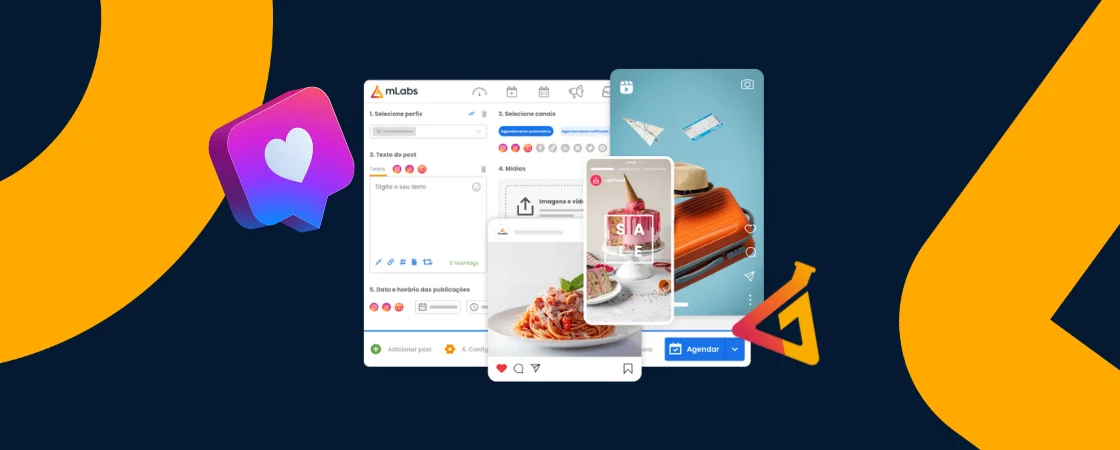
With mLabs, you can schedule posts across all your social networks ahead of time. This is perfect if you like to plan everything in detail and make sure your content goes live at the right moment, even when you’re busy or offline.
Post calendar
The platform also includes a visual post calendar that lets you see everything that’s already scheduled. This makes planning easier and keeps your social media workflow organized and stress-free.
Reporting and analytics
mLabs allows you to generate reports on profile and post performance, as well as results from paid media campaigns.
These reports help you track what’s working and identify what needs improvement so you can make smarter decisions for your social media strategy.
Boosted posts
To reach a larger audience, sometimes your content needs a little paid push. With mLabs, you can boost posts directly inside the platform, without having to switch to other tools.
Team management
If you work with a team, mLabs gives you even more advantages. You can add team members, assign specific permissions to each one, and use the Workflow to organize content production.
The Workflow lets you control every stage of the process, set deadlines, and assign tasks to make sure everything gets done efficiently and on time.
Competitor analysis
Want to know what your competitors are doing on social media? mLabs allows you to add up to five competitor Instagram profiles and gives you detailed insights into their activity, including:
🎯 Public engagement rate;
📊 Number of posts published in a given period;
💬 Total likes, comments, and average interactions per post;
⏰ Posts by day and time, plus rankings of best and worst performers.
AI-powered caption generator
Struggling to come up with creative captions? The AI caption generator helps you write engaging copy that boosts productivity and saves time.
Think of it as your personal writing assistant, helping you craft captions that actually connect with your audience.
What are the plans and pricing for mLabs?
mLabs offers three different plans for managing social media: Starter, Intermediate, and Advanced.
- The Starter plan lets you schedule up to 300 posts per month and includes email support. It’s perfect for those just getting started and looking for a simple solution;
- The Intermediate plan bumps that up to 2,000 scheduled posts per month, adds Online Chat support, and allows up to five additional users on the platform;
- The Advanced plan gives you unlimited post scheduling, support via Online Chat and WhatsApp, unlimited additional users, and access to advanced performance reports.
Pricing varies depending on the number of brands you manage in the platform and the subscription period you choose (monthly, quarterly, or annual).
How to start using mLabs for social media management?
Getting started with mLabs is super easy! The first thing you need to do is click the “Free Trial” button on the mLabs website. Once you’ve done that, just follow these steps:
1. Create an account on the platform

On the free trial signup page, you’ll need to fill out a form with some personal information to create your mLabs account. If you don’t have an account yet, choose the option at the bottom of the page.
On the login screen, you have two choices: sign in with your Facebook account or sign up with an email address.
2. Connect your social media accounts

Once you’ve created your account, you’ll be taken straight to the Dashboard. The Dashboard is your mLabs home screen.
It’s like your command center, where you can view and manage all your social media accounts in one place, along with follower counts and growth data.
Adding your social profiles is super simple. Just select the card for the platform you want to connect and click the “Connect” button below it.
You’ll then be redirected to a page where you authorize mLabs to access that account.
As soon as you activate each card, your accounts will sync automatically, and you’ll be able to see everything together on your Dashboard.
3. Build your team and set permissions
To set up a team inside the platform, click “Manage Users” in the upper right corner of your Dashboard.
A new screen will open where you can add a new user by clicking “Add New”.
Then, just enter the person’s email and name. To send the invite, click “Continue.”
You can invite clients or team members (designers, copywriters, or managers) to collaborate on content management and post approvals directly within mLabs.
4. Learn how to set up an approval flow with Workflow

Now that you’ve connected your entire team to the platform, it’s time to learn how to use Workflow to organize your content production, keeping every stage of the process under control.
To get started, click on “Workflow” in the top menu. On this screen, you’ll see the workflow board. To add a new request, click “Add Request”.
From there, you can define all the details of the task such as the profile, channels, title, tags, deadline, and briefing. You can even attach files directly to the briefing.
Once all the fields are filled out, click “Next” at the bottom of the page. Now it’s time to assign the creation team responsible for the task, as well as the internal and external approvers.
First, select the team that will handle the task. Then choose up to two internal approvers, which are team members who validate the content internally.
Finally, add up to two clients as external approvers. It’s important to note that if you add two approvers, whether internal or external, the second one will only be able to approve the request after the first has completed their review.
And that’s it. From now on, all requests and feedback are stored in one place, making communication more transparent and efficient.
Once you’ve set up Workflow, you can move on to exploring other tools in the platform such as post scheduling, the content calendar, analytics reports, and much more.
Is it safe to use mLabs?
When it comes to choosing a platform for managing social media, security always comes first. The good news is that you can trust mLabs.
All of our features that connect to social networks run through official APIs, which guarantees the security and integrity of your data.
We operate in full compliance with each platform’s policies, so your information stays protected while you manage your accounts.
mLabs is also recognized for its strong customer support. We are verified on Reclame Aqui, one of the most respected consumer review platforms in Brazil, and our commitment to resolving customer issues has earned us a “Good” rating.
Another important recognition is the LinkedIn Partner Badge, which gives us exclusive API access to deliver complete reports and schedule posts in every format supported by LinkedIn.
Who’s already using mLabs?
Today, more than 145,000 brands and agencies trust mLabs to manage their social media with efficiency and results. One example is Sicoob Central Crediminas, which adopted our platform in 2023 and completely transformed its workflow.
By streamlining their social media management process, they cut down drastically on the time spent scheduling posts, which led to greater efficiency and organization. In just one year, they boosted productivity by 83%.
Another success story comes from Casa do Construtor, an ABF award-winning franchise recognized as a top supplier in its category.
With mLabs, they strengthened their digital presence and achieved impressive growth, with a 188% increase in Instagram followers and 107% growth on Facebook.
Beyond these case studies, mLabs has earned the trust of countless agencies and marketing professionals.
Industry voices like Fábio Ricotta and João Bragnoli highlight how mLabs makes social media management more effective, helping teams deliver stronger results for their clients.
“We manage the social media of more than 80 Duo clients through mLabs, and it has greatly simplified our work. Beyond saving time, mLabs allows us to efficiently and centrally control our tasks and monitor results in a simple way.”
João Brognoli, CEO – Duo Studio Interativo (recognized as Agency of the Year by RD Station)
“I’ve been using mLabs to manage the social media accounts of Agência Mestre for a long time, and I’m very satisfied! The platform meets our needs, and whenever we need support, it’s fast and accurate.”Fabio Ricotta, CEO – Agência Mestre
So, if you’re looking for a reliable platform for social media management, mLabs is the right choice. Join the thousands of brands and agencies that already trust our tool to hit their digital marketing goals!
Start your free trial with mLabs today! Click here to get started.